Compute / Serial console
The serial console
Out-of-band access to a virtual machine's screen and keyboard, for when SSH, the network or a security group won't let you in.
When to use it
The serial console connects you to the machine's own screen, below its networking. It works when SSH does not:
- A firewall rule or security group shuts out port 22.
- A network setting inside the machine is broken.
- The machine is stuck at boot, or waiting at a prompt.
- You have lost every SSH key.
It is free, on every account, with no jump host and no support ticket.
Open a session
The machine has to be running.
- Open the machine from Virtual machines.
- Press Console at the top of its page.
The console opens a new session each time, on every open and every reconnect. Click the screen to type into it, then sign in with a user on the machine.
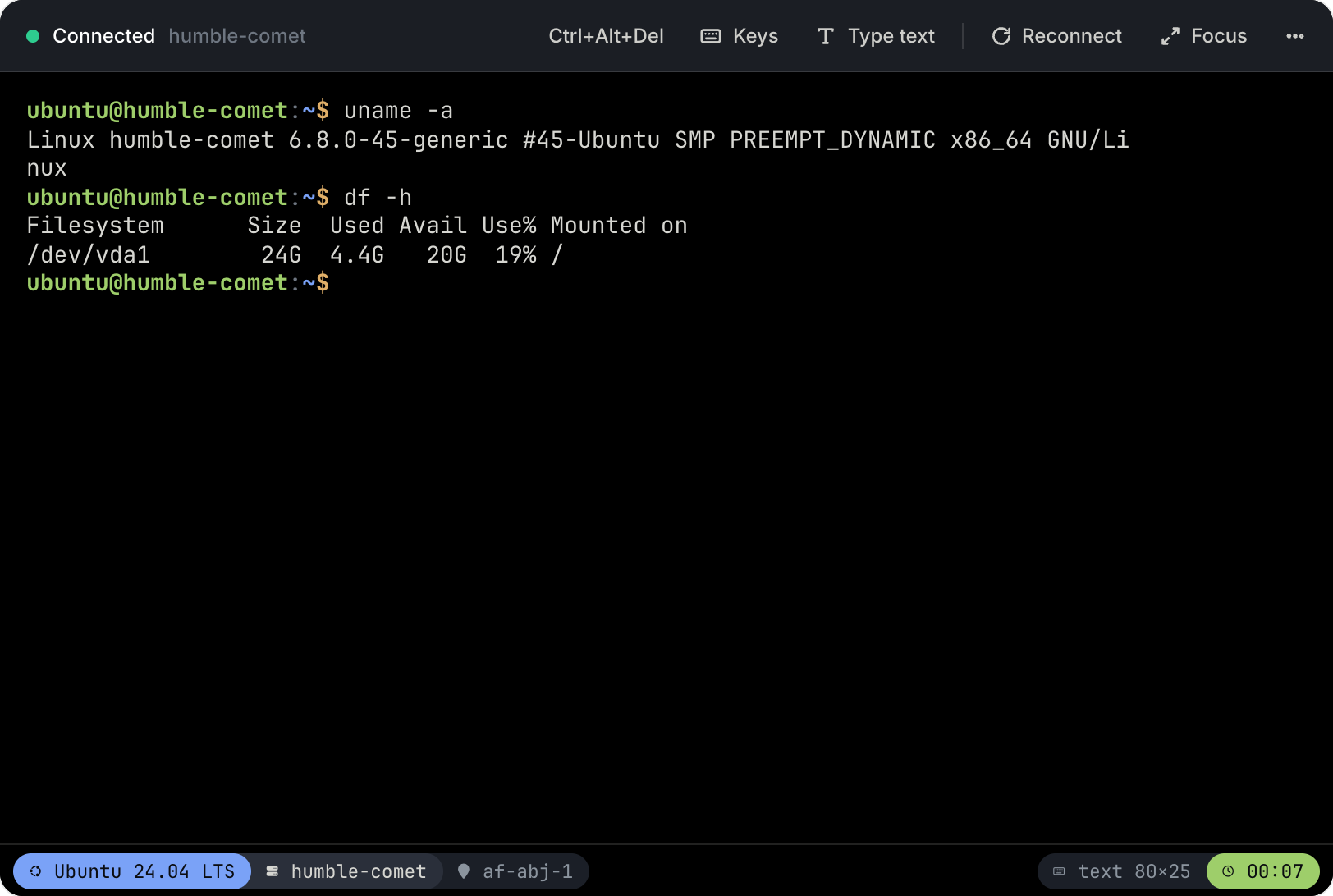
The toolbar
| Control | What it does |
|---|---|
| Ctrl+Alt+Del | Sends the keys to the machine, which usually reboots it |
| Keys | Escape, Tab, Ctrl+Alt+Backspace, switching terminal (Ctrl+Alt+F1–F6) and the function keys F1–F12 |
| Type text | Types a block of text into the machine as keystrokes, with a US keyboard layout. Use it to paste a long command |
| Reconnect | Opens a fresh session |
| Focus | Fills the window with the screen |
| ⋯ | Copy all text, fit to window or actual size, save a screenshot, full screen |
End the session
Press End session. If the machine is at a shell prompt, the console logs out for you. If a program is still running, it asks first: disconnecting anyway leaves that program, and the login, running on the machine.
What is recorded
Who opened a session, on which machine, and when it ended. Never your keystrokes or the screen. We can see that you used the console, but not what you did in it.