Billing / Add funds
Add funds
Top up your organization's credit with your saved card, or through Flutterwave's checkout for accounts billed in naira.
Why top up
Credit pays the upfront payment when you create a virtual machine or database, as long as it covers the whole amount, and comes off each invoice before your card is charged. An upfront payment comes back to your credit if the build fails, and so does the unused part when you delete a virtual machine or database. Without a saved card, credit is also what lets you create a Kubernetes cluster. Topping up ahead means fewer card charges and nothing held up for want of a payment. See how billing works.
Credit added to your balance cannot be refunded, so add what you expect to use.
A top-up carries no VAT: the full amount goes on your balance. VAT is added to your end-of-period invoice instead, and credit applied to it pays the total, VAT included. See VAT.
Add funds
- Go to Billing and press Add funds, or press ⌘K and type "add funds".
- Choose an amount, or type your own under Or enter an amount. The minimum is $5, or ₦5,000.
- The summary shows your current balance, the payment and your balance after it. Press Pay.
- Confirm. A saved card is charged straight away; Flutterwave's checkout opens for you to finish paying.
How you pay depends on your account:
| Account | How it is paid |
|---|---|
| Billed in dollars | Your saved card, the one you paid your activation credits with when you set up billing |
| Billed in naira | Flutterwave's checkout, which opens in the console. See paying in naira |
If your bank asks to check
Some banks confirm a card payment themselves, usually with a code sent to your phone. Their check opens in a window on the page. Finish it there and the window closes by itself once the payment goes through. If it does not load, use Open it in a new tab.
After you pay
The page waits for the payment to settle, usually a few seconds:
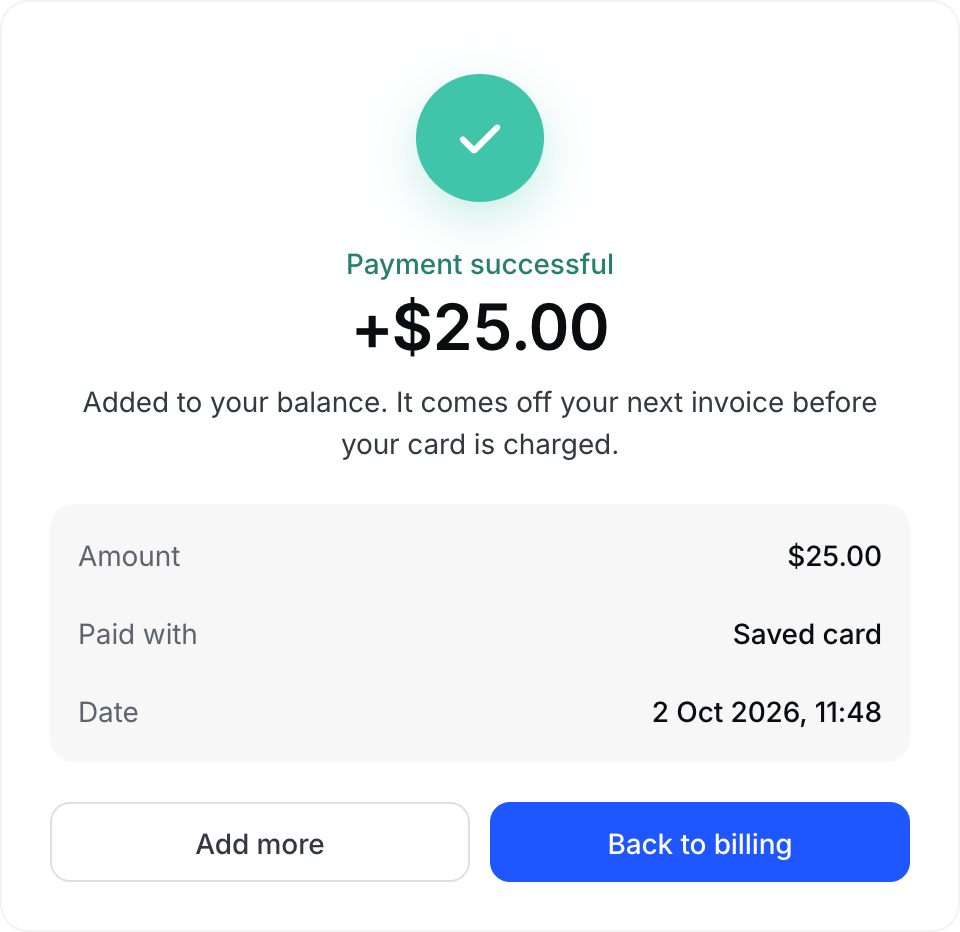
- Payment successful: done. The credit is on your balance and comes off your next invoice before your card is charged. Add more starts another top-up.
- Still waiting on the payment: it can take a few minutes. You can leave the page; the credit lands either way, and your balance on Billing updates when it does.
- The charge didn't go through: your balance has not changed. Try again, or check your card.
Every top-up is listed under transactions.
If adding funds is unavailable
Some accounts are not set up to top up by card. Add funds then says so, and usage is invoiced at the end of each billing period instead.